Please enter the email address you used when registering.
Email sent
If you have a valid account with us, you will receive an email with instructions to reset your password.
Email resent
An error occurred while processing your request. Please try again later.
An error occurred while processing your request. Please try again later.
Invalid login
Your account has been temporarily locked because of too many failed login attempts. Please try again later.
The code entered has expired. Please request a new code to continue.
The code entered is not valid. Please request a new code to continue.
Email address format is not valid.
Your account has not been verified. Please check your email for instructions on how to verify your credentials.
Your account has been disabled.
An error occurred while processing your request. Please try again later.
Invalid login
This account has reached its limit for daily password resets. Please try again in 24 hours.
Password does not meet password strength requirements. Please try again.
That password was recently used. Please enter a new one.
Password is not strong enough.
Password cannot contain any forbidden words.
Password is a commonly used password.
Password cannot contain common words.
Password cannot contain repeating characters.
Password cannot contain sequence of characters.
An error occurred while processing your request. Please try again later.
An error occurred while processing your request. Please try again later.
The account information you provided does not match our records.
This account is not authorized to perform the request you've initiated.
An error occurred while processing your request. Please try again later.
An error occurred while processing your request. Please try again later.
An error occurred while processing your request. Please try again later.
An error occurred while processing your request. Please try again later.
An error occurred while processing your request. Please try again later.
An error occurred while processing your request. Please try again later.
We are unable to log you out of all the application
Invalid code, please enter the correct code from your Authenticator App or code may have timed out, in that case re-scan the QR code by clicking "Back".
Password does not meet password strength requirements. Please try again.
Password does not meet password strength requirements. Please try again.
An error occurred while processing your request. Please try again later.
An error occurred while processing your request.
Please try again later.
Choose Method
We’re committed to protecting the confidentially of personal information and use security measures and other safeguards designed to keep your personal information safe. Please choose a contact method below to receive a confirmation code:
Two-step verification
Please enter the 6-digit code sent to your email. If you have not received a code, you may not have a registered account.
Generate QR code
If you are new and ready to setup the Authenticator App for easier sign in experience next time. If you haven’t already, downloaded the Authenticator App on iOS or Android by scanning a QR code then click on "Set up Authenticator App". Do not close this browser window.
Link account to app
Now, open the Authenticator App and then on your app add account by scanning QR code or manually entering the code below to link your account. QR code expires after 15 minutes.
Enter code from Authenticator App
Do not close browser window. A security code is available in your Authenticator App, as you should have a new account in your App. If you don't have a code to enter, please click "Back" and set up the Authenticator App to get a new code.
Please create a new password
Must be between 9 and 64 characters long
Must have at least one capital letter
Must have a number
Must have a special character
Cannot contain any characters that repeat more than twice
New passwords fields must match
An error occurred while processing your request.
Please try again later.
Password successfully reset.
Invalid login
Enter your password to login.
Choose Method
We’re committed to protecting the confidentially of personal information and use security measures and other safeguards designed to keep your personal information safe. Please choose a contact method below to receive a confirmation code:
Two-step verification
Enter the 6-digit code sent to your email
Generate QR code
If you are new and ready to setup the Authenticator App for easier sign in experience next time. If you haven’t already, downloaded the Authenticator App on iOS or Android by scanning a QR code then click on "Set up Authenticator App". Do not close this browser window.
Link account to app
Now, open the Authenticator App and then on your app add account by scanning QR code or manually entering the code below to link your account. QR code expires after 15 minutes.
Enter code from Authenticator App
Do not close browser window. A security code is available in your Authenticator App, as you should have a new account in your App. If you don't have a code to enter, please click "Back" and set up the Authenticator App to get a new code.
Please create a new password
Must be between 9 and 64 characters long
Must have at least one capital letter
Must have a number
Must have a special character
Cannot contain any characters that repeat more than twice
New passwords fields must match
An error occurred while processing your request.
Please try again later.
Password successfully reset.
Choose Method
We’re committed to protecting the confidentially of personal information and use security measures and other safeguards designed to keep your personal information safe. Please choose a contact method below to receive a confirmation code:
Please enter you new phone number
Your account phone number has been changed successfully
To verify your identity, we need to send an authorization code to the email address on file.
Two-step verification
Enter the 6-digit code sent to your email
Generate QR code
If you are new and ready to setup the Authenticator App for easier sign in experience next time. If you haven’t already, downloaded the Authenticator App on iOS or Android by scanning a QR code then click on "Set up Authenticator App". Do not close this browser window.
Link account to app
Now, open the Authenticator App and then on your app add account by scanning QR code or manually entering the code below to link your account. QR code expires after 15 minutes.
Enter code from Authenticator App
Do not close browser window. A security code is available in your Authenticator App, as you should have a new account in your App. If you don't have a code to enter, please click "Back" and set up the Authenticator App to get a new code.
Confirmed. Welcome back.
An error occurred while processing your request.
Please try again later.
Please enter a valid phone number.
We need a phone number to keep your account secure. We will send you a code to validate your phone number.
Forgot your password?
Please enter the email address you used when registering.
Email sent
If you have a valid account with us, you will receive an email with instructions to reset your password.
Email resent
An error occurred while processing your request. Please try again later.
An error occurred while processing your request. Please try again later.
Invalid login
Your account has been temporarily locked because of too many failed login attempts. Please try again later.
The code entered has expired. Please request a new code to continue.
The code entered is not valid. Please request a new code to continue.
Email address format is not valid.
Your account has not been verified. Please check your email for instructions on how to verify your credentials.
Your account has been disabled.
An error occurred while processing your request. Please try again later.
Invalid login
This account has reached its limit for daily password resets. Please try again in 24 hours.
Password does not meet password strength requirements. Please try again.
That password was recently used. Please enter a new one.
Password is not strong enough.
Password cannot contain any forbidden words.
Password is a commonly used password.
Password cannot contain common words.
Password cannot contain repeating characters.
Password cannot contain sequence of characters.
An error occurred while processing your request. Please try again later.
An error occurred while processing your request. Please try again later.
The account information you provided does not match our records.
This account is not authorized to perform the request you've initiated.
An error occurred while processing your request. Please try again later.
An error occurred while processing your request. Please try again later.
An error occurred while processing your request. Please try again later.
An error occurred while processing your request. Please try again later.
An error occurred while processing your request. Please try again later.
An error occurred while processing your request. Please try again later.
We are unable to log you out of all the application
Invalid code, please enter the correct code from your Authenticator App or code may have timed out, in that case re-scan the QR code by clicking "Back".
Password does not meet password strength requirements. Please try again.
Password does not meet password strength requirements. Please try again.
An error occurred while processing your request. Please try again later.
An error occurred while processing your request.
Please try again later.
Choose Method
We’re committed to protecting the confidentially of personal information and use security measures and other safeguards designed to keep your personal information safe. Please choose a contact method below to receive a confirmation code:
Two-step verification
Please enter the 6-digit code sent to your email. If you have not received a code, you may not have a registered account.
Generate QR code
If you are new and ready to setup the Authenticator App for easier sign in experience next time. If you haven’t already, downloaded the Authenticator App on iOS or Android by scanning a QR code then click on "Set up Authenticator App". Do not close this browser window.
Link account to app
Now, open the Authenticator App and then on your app add account by scanning QR code or manually entering the code below to link your account. QR code expires after 15 minutes.
Enter code from Authenticator App
Do not close browser window. A security code is available in your Authenticator App, as you should have a new account in your App. If you don't have a code to enter, please click "Back" and set up the Authenticator App to get a new code.
Please create a new password
Must be between 9 and 64 characters long
Must have at least one capital letter
Must have a number
Must have a special character
Cannot contain any characters that repeat more than twice
New passwords fields must match
An error occurred while processing your request.
Please try again later.
Password successfully reset.
Invalid login
Enter your password to login.
Choose Method
We’re committed to protecting the confidentially of personal information and use security measures and other safeguards designed to keep your personal information safe. Please choose a contact method below to receive a confirmation code:
Two-step verification
Enter the 6-digit code sent to your email
Generate QR code
If you are new and ready to setup the Authenticator App for easier sign in experience next time. If you haven’t already, downloaded the Authenticator App on iOS or Android by scanning a QR code then click on "Set up Authenticator App". Do not close this browser window.
Link account to app
Now, open the Authenticator App and then on your app add account by scanning QR code or manually entering the code below to link your account. QR code expires after 15 minutes.
Enter code from Authenticator App
Do not close browser window. A security code is available in your Authenticator App, as you should have a new account in your App. If you don't have a code to enter, please click "Back" and set up the Authenticator App to get a new code.
Please create a new password
Must be between 9 and 64 characters long
Must have at least one capital letter
Must have a number
Must have a special character
Cannot contain any characters that repeat more than twice
New passwords fields must match
An error occurred while processing your request.
Please try again later.
Password successfully reset.
Choose Method
We’re committed to protecting the confidentially of personal information and use security measures and other safeguards designed to keep your personal information safe. Please choose a contact method below to receive a confirmation code:
Please enter you new phone number
Your account phone number has been changed successfully
Enter your email address
Confirm your email address
We have sent an email to {0}. Click the link in the email to finish setting up your dashboard
Email resent
An error occurred while processing your request. Please try again later.
An error occurred while processing your request. Please try again later.
Invalid login
Your account has been temporarily locked because of too many failed login attempts. Please try again later.
The code entered has expired. Please request a new code to continue.
The code entered is not valid. Please request a new code to continue.
Email address format is not valid.
Your account has not been verified. Please check your email for instructions on how to verify your credentials.
Your account has been disabled.
An error occurred while processing your request. Please try again later.
Invalid login
This account has reached its limit for daily password resets. Please try again in 24 hours.
Password does not meet password strength requirements. Please try again.
That password was recently used. Please enter a new one.
Password is not strong enough.
Password cannot contain any forbidden words.
Password is a commonly used password.
Password cannot contain common words.
Password cannot contain repeating characters.
Password cannot contain sequence of characters.
An error occurred while processing your request. Please try again later.
An error occurred while processing your request. Please try again later.
The account information you provided does not match our records.
This account is not authorized to perform the request you've initiated.
An error occurred while processing your request. Please try again later.
An error occurred while processing your request. Please try again later.
An error occurred while processing your request. Please try again later.
An error occurred while processing your request. Please try again later.
An error occurred while processing your request. Please try again later.
An error occurred while processing your request. Please try again later.
We are unable to log you out of all the application
Invalid code, please enter the correct code from your Authenticator App or code may have timed out, in that case re-scan the QR code by clicking "Back".
Password does not meet password strength requirements. Please try again.
Password does not meet password strength requirements. Please try again.
An error occurred while processing your request. Please try again later.
Forgot your password?
Please enter the email address you used when registering.
Email sent
If you have a valid account with us, you will receive an email with instructions to reset your password.
Email resent
An error occurred while processing your request. Please try again later.
An error occurred while processing your request. Please try again later.
Invalid login
Your account has been temporarily locked because of too many failed login attempts. Please try again later.
The code entered has expired. Please request a new code to continue.
The code entered is not valid. Please request a new code to continue.
Email address format is not valid.
Your account has not been verified. Please check your email for instructions on how to verify your credentials.
Your account has been disabled.
An error occurred while processing your request. Please try again later.
Invalid login
This account has reached its limit for daily password resets. Please try again in 24 hours.
Password does not meet password strength requirements. Please try again.
That password was recently used. Please enter a new one.
Password is not strong enough.
Password cannot contain any forbidden words.
Password is a commonly used password.
Password cannot contain common words.
Password cannot contain repeating characters.
Password cannot contain sequence of characters.
An error occurred while processing your request. Please try again later.
An error occurred while processing your request. Please try again later.
The account information you provided does not match our records.
This account is not authorized to perform the request you've initiated.
An error occurred while processing your request. Please try again later.
An error occurred while processing your request. Please try again later.
An error occurred while processing your request. Please try again later.
An error occurred while processing your request. Please try again later.
An error occurred while processing your request. Please try again later.
An error occurred while processing your request. Please try again later.
We are unable to log you out of all the application
Invalid code, please enter the correct code from your Authenticator App or code may have timed out, in that case re-scan the QR code by clicking "Back".
Password does not meet password strength requirements. Please try again.
Password does not meet password strength requirements. Please try again.
An error occurred while processing your request. Please try again later.
An error occurred while processing your request.
Please try again later.
Choose Method
We’re committed to protecting the confidentially of personal information and use security measures and other safeguards designed to keep your personal information safe. Please choose a contact method below to receive a confirmation code:
Two-step verification
Please enter the 6-digit code sent to your email. If you have not received a code, you may not have a registered account.
Generate QR code
If you are new and ready to setup the Authenticator App for easier sign in experience next time. If you haven’t already, downloaded the Authenticator App on iOS or Android by scanning a QR code then click on "Set up Authenticator App". Do not close this browser window.
Link account to app
Now, open the Authenticator App and then on your app add account by scanning QR code or manually entering the code below to link your account. QR code expires after 15 minutes.
Enter code from Authenticator App
Do not close browser window. A security code is available in your Authenticator App, as you should have a new account in your App. If you don't have a code to enter, please click "Back" and set up the Authenticator App to get a new code.
Please create a new password
Must be between 9 and 64 characters long
Must have at least one capital letter
Must have a number
Must have a special character
Cannot contain any characters that repeat more than twice
New passwords fields must match
An error occurred while processing your request.
Please try again later.
Password successfully reset.
Invalid login
Enter your password to login.
Choose Method
We’re committed to protecting the confidentially of personal information and use security measures and other safeguards designed to keep your personal information safe. Please choose a contact method below to receive a confirmation code:
Two-step verification
Enter the 6-digit code sent to your email
Generate QR code
If you are new and ready to setup the Authenticator App for easier sign in experience next time. If you haven’t already, downloaded the Authenticator App on iOS or Android by scanning a QR code then click on "Set up Authenticator App". Do not close this browser window.
Link account to app
Now, open the Authenticator App and then on your app add account by scanning QR code or manually entering the code below to link your account. QR code expires after 15 minutes.
Enter code from Authenticator App
Do not close browser window. A security code is available in your Authenticator App, as you should have a new account in your App. If you don't have a code to enter, please click "Back" and set up the Authenticator App to get a new code.
Please create a new password
Must be between 9 and 64 characters long
Must have at least one capital letter
Must have a number
Must have a special character
Cannot contain any characters that repeat more than twice
New passwords fields must match
An error occurred while processing your request.
Please try again later.
Password successfully reset.
Choose Method
We’re committed to protecting the confidentially of personal information and use security measures and other safeguards designed to keep your personal information safe. Please choose a contact method below to receive a confirmation code:
Please enter you new phone number
Your account phone number has been changed successfully
Financial professionals, access your resources here
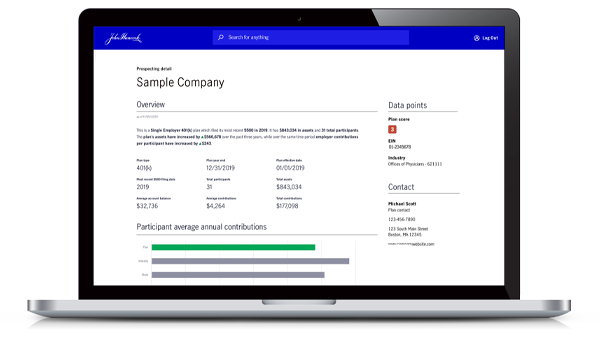
From your personalized dashboard, you have access to prospect finder, plan manager, and other tools to help grow and manage your block of retirement plan business.
Many states are enacting state-sponsored retirement programs designed specifically for small employers. These programs can present an opportunity for you to showcase your value by offering more customized and flexible retirement plan solutions.
Keep up with what's happening in the retirement plan industry. Register for our next webinar or view a replay. Our webinars cover quarterly legislative updates, twice-yearly economic outlooks, practice management, fiduciary matters, plan management, and professional development.
As a retirement plan sponsor, you may be wondering whether you should work with a third-party administrator (TPA). To help you decide, learn what plan sponsors say are the top five benefits of working with their TPA.
SECURE 2.0 tax credits: a way to compete with state retirement plans
Gary Tankersley,
Head of Sales and DistributionManulife John Hancock Retirement
Robin L. Revzin,
Senior Retirement SpecialistManulife John Hancock Retirement
Find out how the SECURE 2.0 tax credits can help financial professionals overcome the cost advantage of state-facilitated retirement plans and open doors in the small plan market.
Abigail Benham,
Head of Strategic PartnershipsManulife John Hancock Retirement
How do plan sponsors rate the services they receive from their TPA? We’ll share insightful research and five tips to help you effectively build and grow your business relationship.
How to use artificial intelligence in financial planning
AI is a hot technology that's mostly used for internet searches but has potential to help with financial planning. Share these tips to help your employees use AI safely and smartly when it comes to their finances.
Retirement planning for women—a key opportunity for financial professionals
Abigail Benham,
Head of Strategic PartnershipsManulife John Hancock Retirement
Assisting women with their retirement planning can lead to more wealth management opportunities for you. Get tips for connecting with female participants.