
-

Europe's macro revival and what it means for investors
Europe is having a "moment," with its macroeconomic picture brightening in recent months, but will it last - and what does it mean for investors? Senior Global Macro Analyst Erica Camilleri, CFA, tackles these questions in her latest viewpoint.
Read more
-

Five myths about 529 education savings accounts
Although 529 education savings accounts have been around for nearly three decades, many parents saving for college or other education needs don’t understand a lot about them. Explore some of the more common myths.
Read more
-

Six tips for keeping your finances on track
Developing healthy habits—such as regular reviews of your saving and spending—can help get your finances in better shape. You can follow these six tips as your guide.
Read more -

What's Medicare?
Learn the fundamentals of Medicare and how it can help you cover your healthcare needs in retirement.
Read more -

Are you thinking about opening a Roth IRA in your 20s?
Wondering if you should open a Roth IRA in your 20s? We’ll explain what a Roth IRA is and three things for you to consider.
Read more -
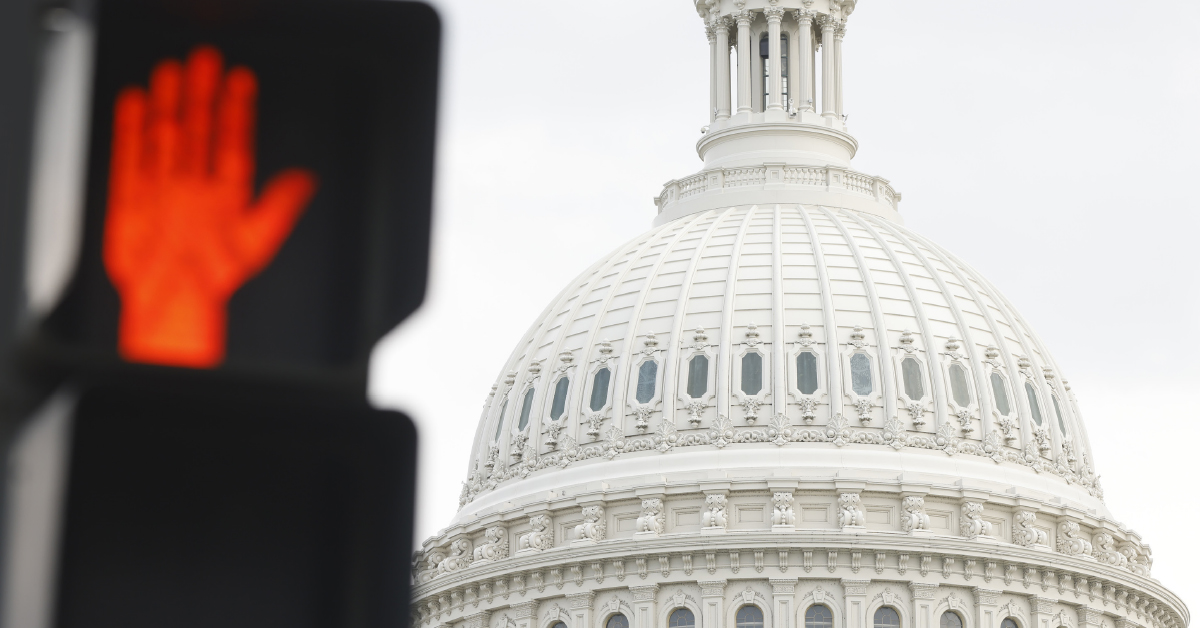
How does the government shutdown affect my retirement?
The federal government shut down on October 1, 2025. We’ll explain what that means for you and your retirement.
Read more -

Personalize your retirement planning
Picturing your retirement can be fun, and it can help you understand how much you may need to save for the retirement you want.
Read more -

Planning for longevity is about more than money
Longevity isn’t just about more years. It’s about making those extra years better. We partnered with the MIT AgeLab to explore what it takes to truly thrive as we age and discovered that many Americans aren’t prepared. If we want to help participants prepare for a better retirement, then we need to change the way we think about retirement planning.
Read more
-

Your retirement savings account needs a regular care routine, too
Learn how to help secure your retirement account.
Read more -

How can you manage stress when you're close to retirement?
Exercising your mind and body can help you take control of stress as you get closer to retirement.
Read more
What's your role?
What’s your role?

Please enter the email address you used when registering.
If you have a valid account with us, you will receive an email with instructions to reset your password.
Please try again later.
We’re committed to protecting the confidentially of personal information and use security measures and other safeguards designed to keep your personal information safe. Please choose a contact method below to receive a confirmation code:
Please enter the 6-digit code sent to your email. If you have not received a code, you may not have a registered account.
Generate QR code
If you are new and ready to setup the Authenticator App for easier sign in experience next time. If you haven’t already, downloaded the Authenticator App on iOS or Android by scanning a QR code then click on "Set up Authenticator App". Do not close this browser window.


Link account to app
Now, open the Authenticator App and then on your app add account by scanning QR code or manually entering the code below to link your account. QR code expires after 15 minutes.
Enter code from Authenticator App
Do not close browser window. A security code is available in your Authenticator App, as you should have a new account in your App. If you don't have a code to enter, please click "Back" and set up the Authenticator App to get a new code.
- Must be between 9 and 64 characters long
- Must have at least one capital letter
- Must have a number
- Must have a special character
- Cannot contain any characters that repeat more than twice
- New passwords fields must match
Please try again later.
Enter your password to login.
We’re committed to protecting the confidentially of personal information and use security measures and other safeguards designed to keep your personal information safe. Please choose a contact method below to receive a confirmation code:
Enter the 6-digit code sent to your email
Generate QR code
If you are new and ready to setup the Authenticator App for easier sign in experience next time. If you haven’t already, downloaded the Authenticator App on iOS or Android by scanning a QR code then click on "Set up Authenticator App". Do not close this browser window.
Link account to app
Now, open the Authenticator App and then on your app add account by scanning QR code or manually entering the code below to link your account. QR code expires after 15 minutes.
Enter code from Authenticator App
Do not close browser window. A security code is available in your Authenticator App, as you should have a new account in your App. If you don't have a code to enter, please click "Back" and set up the Authenticator App to get a new code.
- Must be between 9 and 64 characters long
- Must have at least one capital letter
- Must have a number
- Must have a special character
- Cannot contain any characters that repeat more than twice
- New passwords fields must match
Please try again later.
We’re committed to protecting the confidentially of personal information and use security measures and other safeguards designed to keep your personal information safe. Please choose a contact method below to receive a confirmation code:
account holders
-
Access, analyze and run reports on your Signature plansVisit
-
Detailed reporting and administrative tools for TPA’s Signature block of business - United StatesVisit
-
Detailed reporting and administrative tools for TPA’s Signature block of business - New YorkVisit
-
Access data-drive insight and investment reporting on your open architecture plansVisit
-
 Advisor reporting on your Signature plansVisit
 -
 Advisor reporting on your open-architecture plansVisit
 -
 TPA reporting and administrative tools for your Signature plansVisit
 -
TPA reporting and administrative tools for your Signature New York plansVisit
-
Access to FutureChoice for pre-approved advisorsVisit
Enter your password to login.
To verify your identity, we need to send an authorization code to the email address on file.
Enter the 6-digit code sent to your email
Generate QR code
If you are new and ready to setup the Authenticator App for easier sign in experience next time. If you haven’t already, downloaded the Authenticator App on iOS or Android by scanning a QR code then click on "Set up Authenticator App". Do not close this browser window.
Link account to app
Now, open the Authenticator App and then on your app add account by scanning QR code or manually entering the code below to link your account. QR code expires after 15 minutes.
Enter code from Authenticator App
Do not close browser window. A security code is available in your Authenticator App, as you should have a new account in your App. If you don't have a code to enter, please click "Back" and set up the Authenticator App to get a new code.
Welcome back.
Please try again later.
We need a phone number to keep your account secure. We will send you a code to validate your phone number.
Please enter the email address you used when registering.
If you have a valid account with us, you will receive an email with instructions to reset your password.
Please try again later.
We’re committed to protecting the confidentially of personal information and use security measures and other safeguards designed to keep your personal information safe. Please choose a contact method below to receive a confirmation code:
Please enter the 6-digit code sent to your email. If you have not received a code, you may not have a registered account.
Generate QR code
If you are new and ready to setup the Authenticator App for easier sign in experience next time. If you haven’t already, downloaded the Authenticator App on iOS or Android by scanning a QR code then click on "Set up Authenticator App". Do not close this browser window.
Link account to app
Now, open the Authenticator App and then on your app add account by scanning QR code or manually entering the code below to link your account. QR code expires after 15 minutes.
Enter code from Authenticator App
Do not close browser window. A security code is available in your Authenticator App, as you should have a new account in your App. If you don't have a code to enter, please click "Back" and set up the Authenticator App to get a new code.
- Must be between 9 and 64 characters long
- Must have at least one capital letter
- Must have a number
- Must have a special character
- Cannot contain any characters that repeat more than twice
- New passwords fields must match
Please try again later.
Enter your password to login.
We’re committed to protecting the confidentially of personal information and use security measures and other safeguards designed to keep your personal information safe. Please choose a contact method below to receive a confirmation code:
Enter the 6-digit code sent to your email
Generate QR code
If you are new and ready to setup the Authenticator App for easier sign in experience next time. If you haven’t already, downloaded the Authenticator App on iOS or Android by scanning a QR code then click on "Set up Authenticator App". Do not close this browser window.
Link account to app
Now, open the Authenticator App and then on your app add account by scanning QR code or manually entering the code below to link your account. QR code expires after 15 minutes.
Enter code from Authenticator App
Do not close browser window. A security code is available in your Authenticator App, as you should have a new account in your App. If you don't have a code to enter, please click "Back" and set up the Authenticator App to get a new code.
- Must be between 9 and 64 characters long
- Must have at least one capital letter
- Must have a number
- Must have a special character
- Cannot contain any characters that repeat more than twice
- New passwords fields must match
Please try again later.
We’re committed to protecting the confidentially of personal information and use security measures and other safeguards designed to keep your personal information safe. Please choose a contact method below to receive a confirmation code:
We have sent an email to {0}. Click the link in the email to finish setting up your dashboard
Please enter the email address you used when registering.
If you have a valid account with us, you will receive an email with instructions to reset your password.
Please try again later.
We’re committed to protecting the confidentially of personal information and use security measures and other safeguards designed to keep your personal information safe. Please choose a contact method below to receive a confirmation code:
Please enter the 6-digit code sent to your email. If you have not received a code, you may not have a registered account.
Generate QR code
If you are new and ready to setup the Authenticator App for easier sign in experience next time. If you haven’t already, downloaded the Authenticator App on iOS or Android by scanning a QR code then click on "Set up Authenticator App". Do not close this browser window.
Link account to app
Now, open the Authenticator App and then on your app add account by scanning QR code or manually entering the code below to link your account. QR code expires after 15 minutes.
Enter code from Authenticator App
Do not close browser window. A security code is available in your Authenticator App, as you should have a new account in your App. If you don't have a code to enter, please click "Back" and set up the Authenticator App to get a new code.
- Must be between 9 and 64 characters long
- Must have at least one capital letter
- Must have a number
- Must have a special character
- Cannot contain any characters that repeat more than twice
- New passwords fields must match
Please try again later.
Enter your password to login.
We’re committed to protecting the confidentially of personal information and use security measures and other safeguards designed to keep your personal information safe. Please choose a contact method below to receive a confirmation code:
Enter the 6-digit code sent to your email
Generate QR code
If you are new and ready to setup the Authenticator App for easier sign in experience next time. If you haven’t already, downloaded the Authenticator App on iOS or Android by scanning a QR code then click on "Set up Authenticator App". Do not close this browser window.
Link account to app
Now, open the Authenticator App and then on your app add account by scanning QR code or manually entering the code below to link your account. QR code expires after 15 minutes.
Enter code from Authenticator App
Do not close browser window. A security code is available in your Authenticator App, as you should have a new account in your App. If you don't have a code to enter, please click "Back" and set up the Authenticator App to get a new code.
- Must be between 9 and 64 characters long
- Must have at least one capital letter
- Must have a number
- Must have a special character
- Cannot contain any characters that repeat more than twice
- New passwords fields must match
Please try again later.
We’re committed to protecting the confidentially of personal information and use security measures and other safeguards designed to keep your personal information safe. Please choose a contact method below to receive a confirmation code: