
-

Are Taft-Hartley plans subject to ERISA?
How to determine if your Taft-Hartley plan is covered by ERISA, and why it matters.
Read more -

Why state-mandated auto-IRAs are good for your retirement practice
California, Oregon, and Illinois are actively enrolling employees in mandated auto-IRA programs. See what it means for financial professionals.
Read more
-
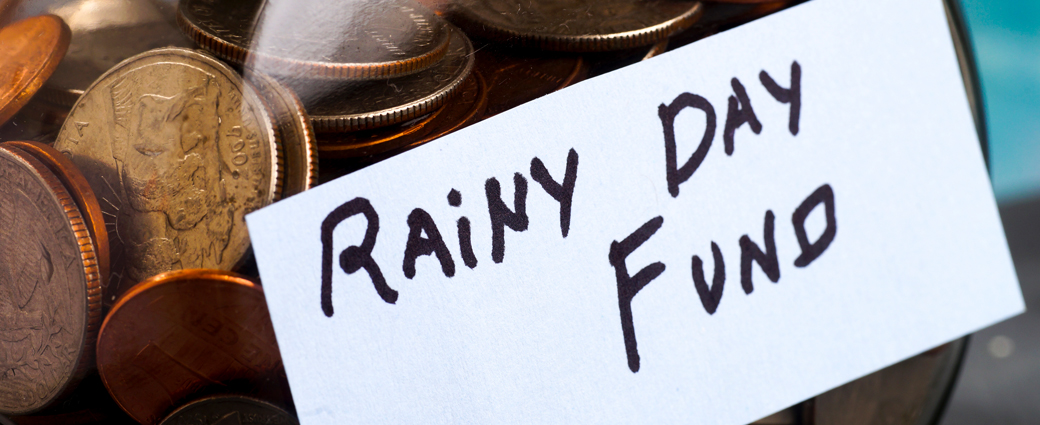
Financial wellness begins with an emergency savings account
Employees who have built up emergency savings are better equipped to contribute to their 401(k) plan and less likely to tap the plan for loans—and that’s good for both employee financial wellness and the overall plan health.
Read more
-
.png)
What 401(k) plan sponsors need to know about stable value funds
Stable value funds are important principal preservation vehicles. Learn the basics and their unique terminology.
Read more -
Financial stress: what’s the cost?
Financial wellness has become a priority among employers over the last several years. Many have added financial wellness components to their overall wellness benefits, recognizing the link between wealth and health. These programs come at a cost that's sometimes difficult to justify. By understanding the cost of financial stress, though, you may be able to justify the cost of financial wellness.
Read more -
_Blog_1040x425_vp_image.png)
Taft-Hartley tips: adding a 401(k) plan and its tools
More than 6 in 10 union members are behind in saving for retirement, and it may be because they don’t have all the tools they need. That’s where a 401(k) plan can help.
Read more -

Why financial stress is like the big bad wolf
Learn the causes of financial stress and how it affects retirement savings.
Read more -

What you need to know about the new regulations on 401(k) hardship distributions
On September 23, the IRS published final regulations on hardship distributions in the Federal Register. The following is our summary of the changes that apply to 401(k) plans, as well as John Hancock’s perspective on how to proceed with both the mandatory and optional provisions.
Read more
-

How a lot of the financial wellness buzz misses the point
Financial wellness is being discussed all over corporate America, among financial professionals, retirement plan sponsors, and recordkeepers. Unfortunately, the term can be ambiguous, with different meanings in different settings.
Read more -

Why you need both retirement savings and emergency savings
Hope for the best, but save for the worst.
Read more
What's your role?
What’s your role?

Please enter the email address you used when registering.
If you have a valid account with us, you will receive an email with instructions to reset your password.
Please try again later.
We’re committed to protecting the confidentially of personal information and use security measures and other safeguards designed to keep your personal information safe. Please choose a contact method below to receive a confirmation code:
Please enter the 6-digit code sent to your email. If you have not received a code, you may not have a registered account.
Generate QR code
If you are new and ready to setup the Authenticator App for easier sign in experience next time. If you haven’t already, downloaded the Authenticator App on iOS or Android by scanning a QR code then click on "Set up Authenticator App". Do not close this browser window.


Link account to app
Now, open the Authenticator App and then on your app add account by scanning QR code or manually entering the code below to link your account. QR code expires after 15 minutes.
Enter code from Authenticator App
Do not close browser window. A security code is available in your Authenticator App, as you should have a new account in your App. If you don't have a code to enter, please click "Back" and set up the Authenticator App to get a new code.
- Must be between 9 and 64 characters long
- Must have at least one capital letter
- Must have a number
- Must have a special character
- Cannot contain any characters that repeat more than twice
- New passwords fields must match
Please try again later.
Enter your password to login.
We’re committed to protecting the confidentially of personal information and use security measures and other safeguards designed to keep your personal information safe. Please choose a contact method below to receive a confirmation code:
Enter the 6-digit code sent to your email
Generate QR code
If you are new and ready to setup the Authenticator App for easier sign in experience next time. If you haven’t already, downloaded the Authenticator App on iOS or Android by scanning a QR code then click on "Set up Authenticator App". Do not close this browser window.
Link account to app
Now, open the Authenticator App and then on your app add account by scanning QR code or manually entering the code below to link your account. QR code expires after 15 minutes.
Enter code from Authenticator App
Do not close browser window. A security code is available in your Authenticator App, as you should have a new account in your App. If you don't have a code to enter, please click "Back" and set up the Authenticator App to get a new code.
- Must be between 9 and 64 characters long
- Must have at least one capital letter
- Must have a number
- Must have a special character
- Cannot contain any characters that repeat more than twice
- New passwords fields must match
Please try again later.
We’re committed to protecting the confidentially of personal information and use security measures and other safeguards designed to keep your personal information safe. Please choose a contact method below to receive a confirmation code:
account holders
-
Access, analyze and run reports on your Signature plansVisit
-
Detailed reporting and administrative tools for TPA’s Signature block of business - United StatesVisit
-
Detailed reporting and administrative tools for TPA’s Signature block of business - New YorkVisit
-
Access data-drive insight and investment reporting on your open architecture plansVisit
-
 Advisor reporting on your Signature plansVisit
 -
 Advisor reporting on your open-architecture plansVisit
 -
 TPA reporting and administrative tools for your Signature plansVisit
 -
TPA reporting and administrative tools for your Signature New York plansVisit
-
Access to FutureChoice for pre-approved advisorsVisit
Enter your password to login.
To verify your identity, we need to send an authorization code to the email address on file.
Enter the 6-digit code sent to your email
Generate QR code
If you are new and ready to setup the Authenticator App for easier sign in experience next time. If you haven’t already, downloaded the Authenticator App on iOS or Android by scanning a QR code then click on "Set up Authenticator App". Do not close this browser window.
Link account to app
Now, open the Authenticator App and then on your app add account by scanning QR code or manually entering the code below to link your account. QR code expires after 15 minutes.
Enter code from Authenticator App
Do not close browser window. A security code is available in your Authenticator App, as you should have a new account in your App. If you don't have a code to enter, please click "Back" and set up the Authenticator App to get a new code.
Welcome back.
Please try again later.
We need a phone number to keep your account secure. We will send you a code to validate your phone number.
Please enter the email address you used when registering.
If you have a valid account with us, you will receive an email with instructions to reset your password.
Please try again later.
We’re committed to protecting the confidentially of personal information and use security measures and other safeguards designed to keep your personal information safe. Please choose a contact method below to receive a confirmation code:
Please enter the 6-digit code sent to your email. If you have not received a code, you may not have a registered account.
Generate QR code
If you are new and ready to setup the Authenticator App for easier sign in experience next time. If you haven’t already, downloaded the Authenticator App on iOS or Android by scanning a QR code then click on "Set up Authenticator App". Do not close this browser window.
Link account to app
Now, open the Authenticator App and then on your app add account by scanning QR code or manually entering the code below to link your account. QR code expires after 15 minutes.
Enter code from Authenticator App
Do not close browser window. A security code is available in your Authenticator App, as you should have a new account in your App. If you don't have a code to enter, please click "Back" and set up the Authenticator App to get a new code.
- Must be between 9 and 64 characters long
- Must have at least one capital letter
- Must have a number
- Must have a special character
- Cannot contain any characters that repeat more than twice
- New passwords fields must match
Please try again later.
Enter your password to login.
We’re committed to protecting the confidentially of personal information and use security measures and other safeguards designed to keep your personal information safe. Please choose a contact method below to receive a confirmation code:
Enter the 6-digit code sent to your email
Generate QR code
If you are new and ready to setup the Authenticator App for easier sign in experience next time. If you haven’t already, downloaded the Authenticator App on iOS or Android by scanning a QR code then click on "Set up Authenticator App". Do not close this browser window.
Link account to app
Now, open the Authenticator App and then on your app add account by scanning QR code or manually entering the code below to link your account. QR code expires after 15 minutes.
Enter code from Authenticator App
Do not close browser window. A security code is available in your Authenticator App, as you should have a new account in your App. If you don't have a code to enter, please click "Back" and set up the Authenticator App to get a new code.
- Must be between 9 and 64 characters long
- Must have at least one capital letter
- Must have a number
- Must have a special character
- Cannot contain any characters that repeat more than twice
- New passwords fields must match
Please try again later.
We’re committed to protecting the confidentially of personal information and use security measures and other safeguards designed to keep your personal information safe. Please choose a contact method below to receive a confirmation code:
We have sent an email to {0}. Click the link in the email to finish setting up your dashboard
Please enter the email address you used when registering.
If you have a valid account with us, you will receive an email with instructions to reset your password.
Please try again later.
We’re committed to protecting the confidentially of personal information and use security measures and other safeguards designed to keep your personal information safe. Please choose a contact method below to receive a confirmation code:
Please enter the 6-digit code sent to your email. If you have not received a code, you may not have a registered account.
Generate QR code
If you are new and ready to setup the Authenticator App for easier sign in experience next time. If you haven’t already, downloaded the Authenticator App on iOS or Android by scanning a QR code then click on "Set up Authenticator App". Do not close this browser window.
Link account to app
Now, open the Authenticator App and then on your app add account by scanning QR code or manually entering the code below to link your account. QR code expires after 15 minutes.
Enter code from Authenticator App
Do not close browser window. A security code is available in your Authenticator App, as you should have a new account in your App. If you don't have a code to enter, please click "Back" and set up the Authenticator App to get a new code.
- Must be between 9 and 64 characters long
- Must have at least one capital letter
- Must have a number
- Must have a special character
- Cannot contain any characters that repeat more than twice
- New passwords fields must match
Please try again later.
Enter your password to login.
We’re committed to protecting the confidentially of personal information and use security measures and other safeguards designed to keep your personal information safe. Please choose a contact method below to receive a confirmation code:
Enter the 6-digit code sent to your email
Generate QR code
If you are new and ready to setup the Authenticator App for easier sign in experience next time. If you haven’t already, downloaded the Authenticator App on iOS or Android by scanning a QR code then click on "Set up Authenticator App". Do not close this browser window.
Link account to app
Now, open the Authenticator App and then on your app add account by scanning QR code or manually entering the code below to link your account. QR code expires after 15 minutes.
Enter code from Authenticator App
Do not close browser window. A security code is available in your Authenticator App, as you should have a new account in your App. If you don't have a code to enter, please click "Back" and set up the Authenticator App to get a new code.
- Must be between 9 and 64 characters long
- Must have at least one capital letter
- Must have a number
- Must have a special character
- Cannot contain any characters that repeat more than twice
- New passwords fields must match
Please try again later.
We’re committed to protecting the confidentially of personal information and use security measures and other safeguards designed to keep your personal information safe. Please choose a contact method below to receive a confirmation code: