
-

Six steps to help get your retirement savings on track in your 40s
Now that you’re in your 40s, use this decade to get your finances and retirement on track with these six steps.
Read more -

What are 401(k) catch-up contributions—and how can they help boost retirement savings?
In your 50s, you may find yourself falling short of your retirement goals—yet, with more disposable income than you had before. That’s where 401(k) catch-up contributions can come in.
Read more -

Why Taft-Hartley plans are important in today’s labor market
Offering a competitive Taft-Hartley plan can play an important role in helping unions attract and retain skilled tradespeople. Find out why.
Read more -

Defined contribution plan terminations—what plan sponsors need to know
There’s more to terminating a qualified defined contribution retirement plan than just stopping contributions. Find out what the process involves.
Read more
-

Understanding the DOL’s definition of an investment advice fiduciary
The proposed DOL Retirement Security Rule changes the definition of an investment advice fiduciary. Learn what this means for your participants.
Read more
-

What the annual 2024 IRS limits mean for your retirement plan
See how much the IRS says you can contribute to retirement plans in 2024.
Read more
-

Social Security payments increased—why didn’t my check?
Social Security’s annual cost of living adjustment doesn’t necessarily mean your monthly check will increase. Here are four reasons your Social Security payment could be lower than you expected.
Read more -

Investing strategies for after retirement
After you retire, your investments may provide some of the income you’ll live on. Learn about the different investment strategies you’ll want to consider.
Read more -

Why upgrading from SIMPLEs to 401(k)s may make sense
Incorporating retirement plans into your advisory business can be a great way to grow your practice. You can show your value to plan sponsors by clearly outlining the differences between SIMPLEs—IRA or 401(k)—and traditional 401(k)s.
Read more -
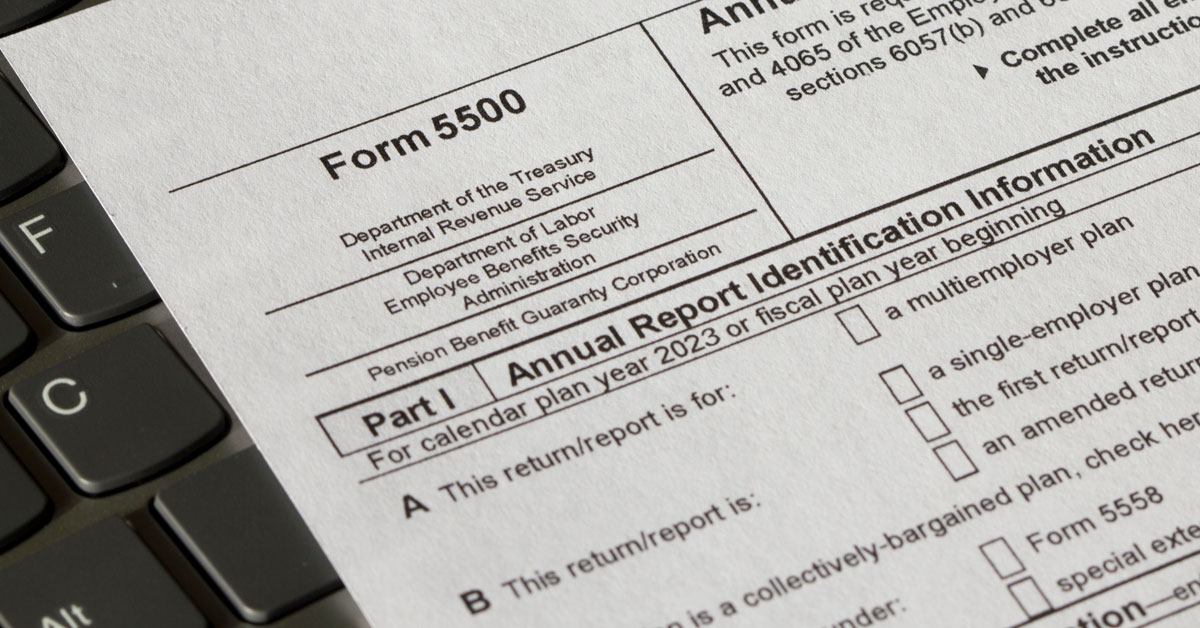
What’s new for the 2023 IRS Form 5500?
The DOL has made some significant revisions to the 2023 IRS Form 5500. Find out what’s changed to help you gather the appropriate data and keep your retirement plan compliant.
Read more
What's your role?
What’s your role?

Please enter the email address you used when registering.
If you have a valid account with us, you will receive an email with instructions to reset your password.
Please try again later.
We’re committed to protecting the confidentially of personal information and use security measures and other safeguards designed to keep your personal information safe. Please choose a contact method below to receive a confirmation code:
Please enter the 6-digit code sent to your email. If you have not received a code, you may not have a registered account.
Generate QR code
If you are new and ready to setup the Authenticator App for easier sign in experience next time. If you haven’t already, downloaded the Authenticator App on iOS or Android by scanning a QR code then click on "Set up Authenticator App". Do not close this browser window.


Link account to app
Now, open the Authenticator App and then on your app add account by scanning QR code or manually entering the code below to link your account. QR code expires after 15 minutes.
Enter code from Authenticator App
Do not close browser window. A security code is available in your Authenticator App, as you should have a new account in your App. If you don't have a code to enter, please click "Back" and set up the Authenticator App to get a new code.
- Must be between 9 and 64 characters long
- Must have at least one capital letter
- Must have a number
- Must have a special character
- Cannot contain any characters that repeat more than twice
- New passwords fields must match
Please try again later.
Enter your password to login.
We’re committed to protecting the confidentially of personal information and use security measures and other safeguards designed to keep your personal information safe. Please choose a contact method below to receive a confirmation code:
Enter the 6-digit code sent to your email
Generate QR code
If you are new and ready to setup the Authenticator App for easier sign in experience next time. If you haven’t already, downloaded the Authenticator App on iOS or Android by scanning a QR code then click on "Set up Authenticator App". Do not close this browser window.
Link account to app
Now, open the Authenticator App and then on your app add account by scanning QR code or manually entering the code below to link your account. QR code expires after 15 minutes.
Enter code from Authenticator App
Do not close browser window. A security code is available in your Authenticator App, as you should have a new account in your App. If you don't have a code to enter, please click "Back" and set up the Authenticator App to get a new code.
- Must be between 9 and 64 characters long
- Must have at least one capital letter
- Must have a number
- Must have a special character
- Cannot contain any characters that repeat more than twice
- New passwords fields must match
Please try again later.
We’re committed to protecting the confidentially of personal information and use security measures and other safeguards designed to keep your personal information safe. Please choose a contact method below to receive a confirmation code:
account holders
-
Access, analyze and run reports on your Signature plansVisit
-
Detailed reporting and administrative tools for TPA’s Signature block of business - United StatesVisit
-
Detailed reporting and administrative tools for TPA’s Signature block of business - New YorkVisit
-
Access data-drive insight and investment reporting on your open architecture plansVisit
-
 Advisor reporting on your Signature plansVisit
 -
 Advisor reporting on your open-architecture plansVisit
 -
 TPA reporting and administrative tools for your Signature plansVisit
 -
TPA reporting and administrative tools for your Signature New York plansVisit
-
Access to FutureChoice for pre-approved advisorsVisit
Enter your password to login.
To verify your identity, we need to send an authorization code to the email address on file.
Enter the 6-digit code sent to your email
Generate QR code
If you are new and ready to setup the Authenticator App for easier sign in experience next time. If you haven’t already, downloaded the Authenticator App on iOS or Android by scanning a QR code then click on "Set up Authenticator App". Do not close this browser window.
Link account to app
Now, open the Authenticator App and then on your app add account by scanning QR code or manually entering the code below to link your account. QR code expires after 15 minutes.
Enter code from Authenticator App
Do not close browser window. A security code is available in your Authenticator App, as you should have a new account in your App. If you don't have a code to enter, please click "Back" and set up the Authenticator App to get a new code.
Welcome back.
Please try again later.
We need a phone number to keep your account secure. We will send you a code to validate your phone number.
Please enter the email address you used when registering.
If you have a valid account with us, you will receive an email with instructions to reset your password.
Please try again later.
We’re committed to protecting the confidentially of personal information and use security measures and other safeguards designed to keep your personal information safe. Please choose a contact method below to receive a confirmation code:
Please enter the 6-digit code sent to your email. If you have not received a code, you may not have a registered account.
Generate QR code
If you are new and ready to setup the Authenticator App for easier sign in experience next time. If you haven’t already, downloaded the Authenticator App on iOS or Android by scanning a QR code then click on "Set up Authenticator App". Do not close this browser window.
Link account to app
Now, open the Authenticator App and then on your app add account by scanning QR code or manually entering the code below to link your account. QR code expires after 15 minutes.
Enter code from Authenticator App
Do not close browser window. A security code is available in your Authenticator App, as you should have a new account in your App. If you don't have a code to enter, please click "Back" and set up the Authenticator App to get a new code.
- Must be between 9 and 64 characters long
- Must have at least one capital letter
- Must have a number
- Must have a special character
- Cannot contain any characters that repeat more than twice
- New passwords fields must match
Please try again later.
Enter your password to login.
We’re committed to protecting the confidentially of personal information and use security measures and other safeguards designed to keep your personal information safe. Please choose a contact method below to receive a confirmation code:
Enter the 6-digit code sent to your email
Generate QR code
If you are new and ready to setup the Authenticator App for easier sign in experience next time. If you haven’t already, downloaded the Authenticator App on iOS or Android by scanning a QR code then click on "Set up Authenticator App". Do not close this browser window.
Link account to app
Now, open the Authenticator App and then on your app add account by scanning QR code or manually entering the code below to link your account. QR code expires after 15 minutes.
Enter code from Authenticator App
Do not close browser window. A security code is available in your Authenticator App, as you should have a new account in your App. If you don't have a code to enter, please click "Back" and set up the Authenticator App to get a new code.
- Must be between 9 and 64 characters long
- Must have at least one capital letter
- Must have a number
- Must have a special character
- Cannot contain any characters that repeat more than twice
- New passwords fields must match
Please try again later.
We’re committed to protecting the confidentially of personal information and use security measures and other safeguards designed to keep your personal information safe. Please choose a contact method below to receive a confirmation code:
We have sent an email to {0}. Click the link in the email to finish setting up your dashboard
Please enter the email address you used when registering.
If you have a valid account with us, you will receive an email with instructions to reset your password.
Please try again later.
We’re committed to protecting the confidentially of personal information and use security measures and other safeguards designed to keep your personal information safe. Please choose a contact method below to receive a confirmation code:
Please enter the 6-digit code sent to your email. If you have not received a code, you may not have a registered account.
Generate QR code
If you are new and ready to setup the Authenticator App for easier sign in experience next time. If you haven’t already, downloaded the Authenticator App on iOS or Android by scanning a QR code then click on "Set up Authenticator App". Do not close this browser window.
Link account to app
Now, open the Authenticator App and then on your app add account by scanning QR code or manually entering the code below to link your account. QR code expires after 15 minutes.
Enter code from Authenticator App
Do not close browser window. A security code is available in your Authenticator App, as you should have a new account in your App. If you don't have a code to enter, please click "Back" and set up the Authenticator App to get a new code.
- Must be between 9 and 64 characters long
- Must have at least one capital letter
- Must have a number
- Must have a special character
- Cannot contain any characters that repeat more than twice
- New passwords fields must match
Please try again later.
Enter your password to login.
We’re committed to protecting the confidentially of personal information and use security measures and other safeguards designed to keep your personal information safe. Please choose a contact method below to receive a confirmation code:
Enter the 6-digit code sent to your email
Generate QR code
If you are new and ready to setup the Authenticator App for easier sign in experience next time. If you haven’t already, downloaded the Authenticator App on iOS or Android by scanning a QR code then click on "Set up Authenticator App". Do not close this browser window.
Link account to app
Now, open the Authenticator App and then on your app add account by scanning QR code or manually entering the code below to link your account. QR code expires after 15 minutes.
Enter code from Authenticator App
Do not close browser window. A security code is available in your Authenticator App, as you should have a new account in your App. If you don't have a code to enter, please click "Back" and set up the Authenticator App to get a new code.
- Must be between 9 and 64 characters long
- Must have at least one capital letter
- Must have a number
- Must have a special character
- Cannot contain any characters that repeat more than twice
- New passwords fields must match
Please try again later.
We’re committed to protecting the confidentially of personal information and use security measures and other safeguards designed to keep your personal information safe. Please choose a contact method below to receive a confirmation code: